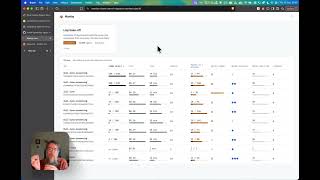
0:05
Hi, welcome back to the channel. I'm
0:06
your pal Cal and today we'll be going
0:08
over the Carduter ADV again, except
0:10
we'll be going over something kind of
0:12
special using the Bruce firmware. With
0:14
the coming of the ADV having GPI opens,
0:16
this opened up a whole world of
0:17
opportunities for boards to be created
0:20
just like on the Flipper Zero. And with
0:22
those boards have come different
0:24
developers who've wanted to make cool
0:26
stuff. Now, it's rumored that M5 Stack
0:29
is making what's called a hacker board,
0:31
which is an RFID CC101 combo board, and
0:35
that sounds kind of exciting. But in the
0:37
meantime, we have some boards that have
0:39
come out by a company called Pingqua.
0:42
Pingqua. Pingqua. I hope I'm saying that
0:45
right. Now, Pingqua is a company that
0:46
makes Flipper zero boards, M5 stack
0:49
stick boards, as well as carder 1 and
0:52
ADV boards. And I kind of like their ADV
0:55
boards because they're pretty well
0:56
thought out. Their original board looked
0:59
like this where we have an NRF24 and a
1:02
CC101 on both sides. Now, there's
1:05
another board by a developer by the name
1:08
of Cassine, and I personally can't
1:10
really endorse that board. I don't like
1:12
how both radio modules are on the right
1:15
side of the board, as well as both
1:17
antennas being right next to each other.
1:20
This is a better design. Now, I'm not a
1:23
hardware expert, but I know damn well
1:26
that if you put both the modules and
1:28
both antennas jammed in a tiny place,
1:31
this creates what's called cross talk.
1:33
Cross talk is just noise. And I'm
1:35
willing to bet my bottom dollar that
1:37
that device has hella cross talk and you
1:41
will lose pretty much all the power when
1:43
it comes to the two RF modules that are
1:45
built into the board. Like, think about
1:47
it. Even if you use that board and you
1:49
see it going crazy, that's really
1:51
nothing. Like it looks like something's
1:53
there, but I don't think anything's
1:55
there. With this board, we can confirm
1:57
that both modules are working
2:00
beautifully. But you have to configure
2:02
them for it to actually work. This board
2:05
and this board are not hot swappable.
2:08
Now, this is the original Pingqua board
2:10
where we have a switch right there to
2:12
toggle between the nrf24 and the CC101.
2:16
Now, with their newer updated board, we
2:18
have the NRF24 and the CC101 with no
2:22
switch. So, as long as we change the pin
2:25
config, everything will work perfectly.
2:27
Now, quick disclaimer. If you're going
2:28
to buy one of these boards, please buy
2:30
them from their official website, which
2:31
I've linked down below. The reason why
2:33
I'm saying that is because there are
2:34
scalpers scalping for an insane amount
2:37
of money on AliExpress and Amazon. And
2:40
don't fall for that, please. They're
2:42
relatively inexpensive. and GPIO boards,
2:45
they go to support the creator. Now,
2:46
depending on what region of the world
2:48
you're in, you want to make sure that
2:49
the CC101s are tuned to the correct band
2:52
that you want. For example, this board
2:55
is tuned to 433, which works in my
2:58
favor. And this board is tuned [music]
3:00
to 915. This is their newer board. Their
3:03
newer boards have a 915 option. So, if
3:06
you need 915, well, I mean, you could
3:08
get both or you can get just one
3:12
specialized that you need. Either way,
3:14
remember when playing with CC101's and
3:16
NRF24s paired with an ESP32S3 that we
3:20
remember to only test our own hardware
3:22
and abide by the laws of our region.
3:25
This is something that's really
3:26
important and a lot of people take it
3:27
with a grain of salt. No, this is
3:29
serious, man. Some of these features are
3:31
educational and experimental, and if you
3:33
do the wrong thing in the wrong [music]
3:34
place, you could get in trouble. Now,
3:36
here we have one of the first iterations
3:38
of this board. We got two antennas on
3:39
opposite ends. We have the nrf24 here on
3:42
the right that is for the 2.4 GHz
3:44
spectrum and the CC101 tuned to 433 here
3:47
on the left as well as a switch to
3:49
toggle between them. Remember this is
3:51
not hot swap. We do have to go into the
3:53
Bruce config file and can uh you know
3:56
configurate the pins. Now over here we
3:58
have the newer Vinga board that comes
3:59
with a much longer CC101 antenna. Our
4:02
CC101 is tuned to 915 and our nrf24 is
4:08
tuned to 2.4 GHz. It works flawlessly
4:11
and I really do like this board. I do
4:14
like the option of being able to uh
4:15
switch between 433 and 915, but that's
4:18
just me. Now, we're going to go to
4:19
launcher since we have Pork Chop running
4:21
right now. We're going to click
4:22
Bruce.bin and install. And that will
4:25
install our firmware. Now, we're going
4:27
to head over to files. And once we go to
4:29
files, we want to go to Bruce web UI.
4:31
After we go to the Bruce web UI, you
4:33
want to connect it through your phone or
4:35
your desktop or you can connect your
4:37
card computer to your home network and
4:39
then access any computer to go to that
4:42
URL right here, which is bruce.local and
4:48
The username is admin and the password
4:51
is Bruce. Now, once you're in the file
4:52
system, you want to find Bruce pins.f.
4:57
Open that file and we're going to have
4:58
to change a few things in there. Now in
5:01
the Bruce pins con file we need to
5:04
adjust some values starting with CS
5:07
being 13. Next look for io0 and change
5:11
it to five. Now we scroll down till we
5:14
find nrf24. In nrf24 look for cs equals
5:19
and change it to six. Under nrf24 look
5:23
for IO and change it to four. Now, once
5:26
you've done all of that, make sure you
5:28
press save. Not save as, just save, and
5:31
then restart your device. But there's
5:33
another way that we can actually do it
5:34
just by clicking out the SD card from
5:37
the card computer. Now that we've got
5:38
the pins configured, we can switch this
5:40
on to the right to 2.4. Click next and
5:48
And from nrf24, we're going to click on
5:50
spectrum. And there you have it.
5:54
That's actually really nice and a
5:56
powerful NRF24. Now, we can also plug in
5:59
the newer Pingqua NRF CC101 and we can
6:02
test it and it'll work straight off the
6:04
rip. But we don't have to switch between
6:06
2.4 GHz or the CC101 anymore. Going to
6:10
go straight to NRF24. Go to spectrum and
6:13
it's even better. Now, if you want the
6:15
CC101 to work for RF functionalities,
6:17
you want to go into RF, then config, and
6:20
in config, click CC101. But you do want
6:24
to keep something in mind. If you have
6:25
this newer board with no switch and you
6:28
have a 915 CC101, you want to specify
6:31
that you want it working for the 915
6:34
band. If you have a CC101 like the older
6:37
one tuned to 433, then specify for 433.
6:41
Keep that in mind. If you're enjoying
6:43
using custom firmware like the Bruise
6:44
firmware, M5 Pork Chop, Just Call Me
6:46
Koko's Marauder, or the Evil M5 project,
6:49
make sure that you support your
6:50
developers and give them a star if you
6:52
visit their GitHub page. They've put a
6:54
lot of time and effort into giving us
6:56
and inspiring so many people while also
6:59
educating them in a really fun way. If
7:01
you enjoyed this video, make sure you
7:03
like, share, subscribe. It helps the
7:04
algorithm and it helps me and I'd
7:06
appreciate it. Also, there's a referral
7:09
link for the card Peter ADV down in the
7:11
description. and it's 5% off and it's
7:13
all I could do. But hey, there's also a
7:15
link for the card Peter ADV Laura Cap
7:18
down below as well, which GPS modules
7:20
powered by the ATGM 336 man, which is an
7:23
very reliable GPS by the way. I've also
7:26
linked the Pingqua boards down below and
7:29
the ESP32 drivers, the GitHub pages for
7:32
Bruce. I've linked everything.
7:34
Everything is down below and I hope you
7:36
guys enjoyed because I love you guys.
7:38
We'll see you next time.